14.1.09

For those who don't know: Nokia did revise E90 keyboard

This may not be news to many of you, but Nokia has revised the keyboard that ships with the E90 Communicator last year. I myself had imprints of my fingers on the beautiful wide screen, which I had to wipe hundred times a day.

I called a Nokia service center today and learned that a keyboard switch for a newer receded keyboard is actually a free warranty covered service. So if this is one of the problems that bothers you, don't hesitate and get yours replaced. It may even be for free.

13.1.09

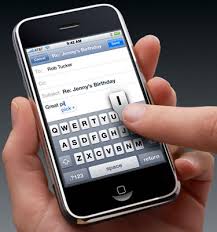
iPhone vs. Nokia E90: reception


Nokia E90 wins in reception quality and in its ability to keep reception where iPhone becomes unavailable. This is normally a minor problem in urbanized areas and doesn't mean one phone is radically different or unusable over the other. 

BUT, if you ever wondered, I've compared and this is what came out. iPhone had a slightly lower reception than the E90. So good news for the E90 folks. :)

18.7.08

Files on OVI.com unlike photo sharing NOT free


OVI, Finnish for "door" started operation recently. It allows for excellent photo/video sharing with no limits other than the size of the uploaded file, which is 100 MB, a generous start.

Now even file storage has made it to OVI, allowing users to upload/share/send files from PC or their phone. This service is not free, though and Nokia will charge _something_ for 10GB of space. Also, Mac users are left behind, the service requires a PC with Windows, they state.

OVI photo sharing site renders nicely on Nokia E90, with an option to resize media to full screen. The whole service reminds a bit of flickr.com, too, which is not for the bad. We like it, and we do not like the new file sharing option with no free option. Google docs or box.net may be a better option.

14.7.08

Nokia Announces Nokia Chat

Nokia has announced Nokia Chat, an application that uses the open Jabber standard for IM. In other words, Google Talk will work for now. The interesting part is that the application uses your GPS location and allows you to share that with your friends, who in turn can chat you up.

Scenrio: You're in town for lunch, see one of your friends close by, you chat him up, you two join each other for lunch without prior arrangements. Nice.

Side note: I just can't imagine going through loops explaining to all my friends how it works, why it works, how they should install, etc.. etc... For now, it's more of a tech demo for me.

http://www.nokia.com/betalabs/chat

9.4.08

Nokia E90 Security for the memory card

Security
I'm not sure people are aware of the built-in security in their Nokia phones. Especially for a mobile device that follows you arround everywhere, I think, security should be of particular interest.

  • You can lock your E90 remotely via SMS. All information in the phone is secured that way and only a password will unlock the phone. Great thing if you loose your phone or just forget it on the table of your office. Also, in case it gets stolen, you have peace of mind that at least your confidential data is completely inaccessible.
  • You can protect/lock/encrypt the removable SD memory card, so when someone gets access to your phone and steals the card, inserting it into an external usb card reader or another Nokia won't be of any use. This is excellent! :)

I actively use both of the above and see zero slow-down. Of course I could lock my phone automatically all the time, or use PIN request at each power up when you switch the phone, but why create annoyances and hurdles to irritate myself? IF the phone is stolen, I'll just lock it. Both the phone and the card are protected.

If, anyway, the card is changed, there is one more option:

  • ask for a security code when SIM changed.
iPhone, so far, has not caught up with these security features. But it'll come, too, I'm sure.

11.1.08

Creating track lists yourself

Let's say you just ripped your CD and updated your Music player library (see previous posts), but the songs still don't show. The only way to play them would be one by one using the file browser. Not really...

Create a track list using a any simple text editor as shown below:

#EXTM3U
#EXTINF:-1,01 Track 01
Der Bund der Rothaarigen\01 Track 01.m4a
#EXTINF:-1,02 Track 02
Der Bund der Rothaarigen\02 Track 02.m4a
#EXTINF:-1,03 Track 03
Der Bund der Rothaarigen\03 Track 03.m4a

... etc., and name it for instance Track list.m3u. The extension M3U is important, otherwise it's just a text note in your nokia. Now you can open the track list and play all tracks continuously without a break.

Keyboard shortcuts

9300/9500 users must be a bit disappointed by the lack of shortcuts on the new E90 model. Well, there are some and they are mostly not documented anywhere so I'd like to compile a list of them here.

Image Gallery
  • 0: full screen?
  • 5: zoom in
  • *: full screen (not available on some language versions in the open mode due to complete lack of "*")
  • 1: rotate

Web
  • B or 1: bookmarks
  • F or 2: find
  • P or 3: jump to previous page
  • W or 5: window
  • O or 8: overview
  • G or 9: go to URL, enter URL
  • H or 0: home

Maps
  • Left Shift: zoom in
  • Right Shift: zoom out
  • Ctrl: toggle day/night view
  • Space: toggle 2D/3D view
Post will be updated as I learn (and remember to publish) new shortcuts. :)